Features of FlixPal

Watch Offline on PC/Mac Without Limits

Usually, Udemy only allows you to watch videos on their mobile app, but it difficult to follow coding tutorials or complex lectures on a small screen.

FlixPal Udemy Downloader lets you download movies straight to your laptop. Move your classes to any device, like an iPad, TV, or PC, and enjoy a truly flexible way of learning without having to think about the 30-day expiration or the course being taken away.

Crystal Clear 1080p Video Quality

FlixPal lets you download classes with resolutions as high as 1080p. No matter if you're learning Excel data analysis, graphic design, or Python code, you will be able to see every detail on the instructor's screen. FlixPal ensures the downloaded file matches the original source quality perfectly.

Save Subtitles as SRT Files

Don't let language hurdles keep you from learning. FlixPal can automatically find and download subtitles and closed captions.

You can either remux them straight into the movie or save them as separate files. This works great for people who aren't fluent in the language or for students who like to read while they listen to a lesson.

Batch Download Entire Playlists

More than 100 lesson videos can be in just one Udemy course. It takes a long time to download them one at a time.

FlixPal instantly finds all of the chapters by looking at the course URL. You can download the whole course list with just one click. Save hours and focus on learning instead of clicking.

More Features of FlixPal

Output in MP4/MKV with H.264

FlixPal downloads Udemy videos in the universally accepted MP4 and MKV formats using the advanced H.264 video codec.

The MP4 format ensures your downloaded courses can be played on any media player and mobile devices like iPhones and Android tablets.

Output in MP4/MKV with H.264

FlixPal downloads Udemy videos in the universally accepted MP4 and MKV formats using the advanced H.264 video codec.

The MP4 format ensures your downloaded courses can be played on any media player and mobile devices like iPhones and Android tablets.

10x Faster with GPU Acceleration

FlixPal uses advanced GPU Hardware Acceleration to make files as much as 10 times faster. FlixPal can download a 10-hour class in a few minutes, not hours. It makes sure that the link is fast and stable, and even for big files, 95% of downloads succeed.

Select Preferred Audio Tracks

For Global courses that offer multi-language audio, FlixPal gives you the choice.

You can pre-select your preferred audio language before the download starts. Enjoy high-fidelity audio with AAC 2.0 support, ensuring the instructor's voice is always loud and clear.

How to Use

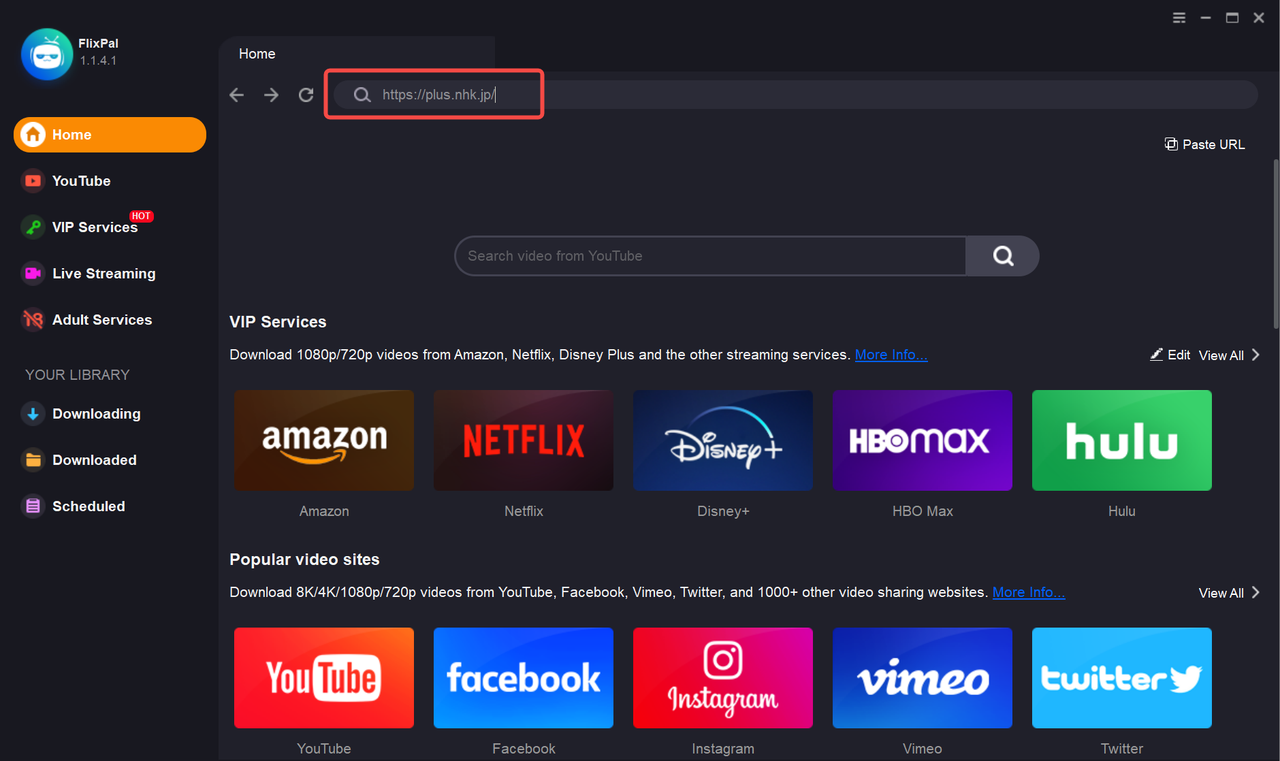
Open FlixPal and select the Udemy icon from "VIP Services", or simply paste the course URL into the built-in browser and log in to your account.
Step 1

Open FlixPal and select the Udemy icon from "VIP Services", or simply paste the course URL into the built-in browser and log in to your account.

Step 2

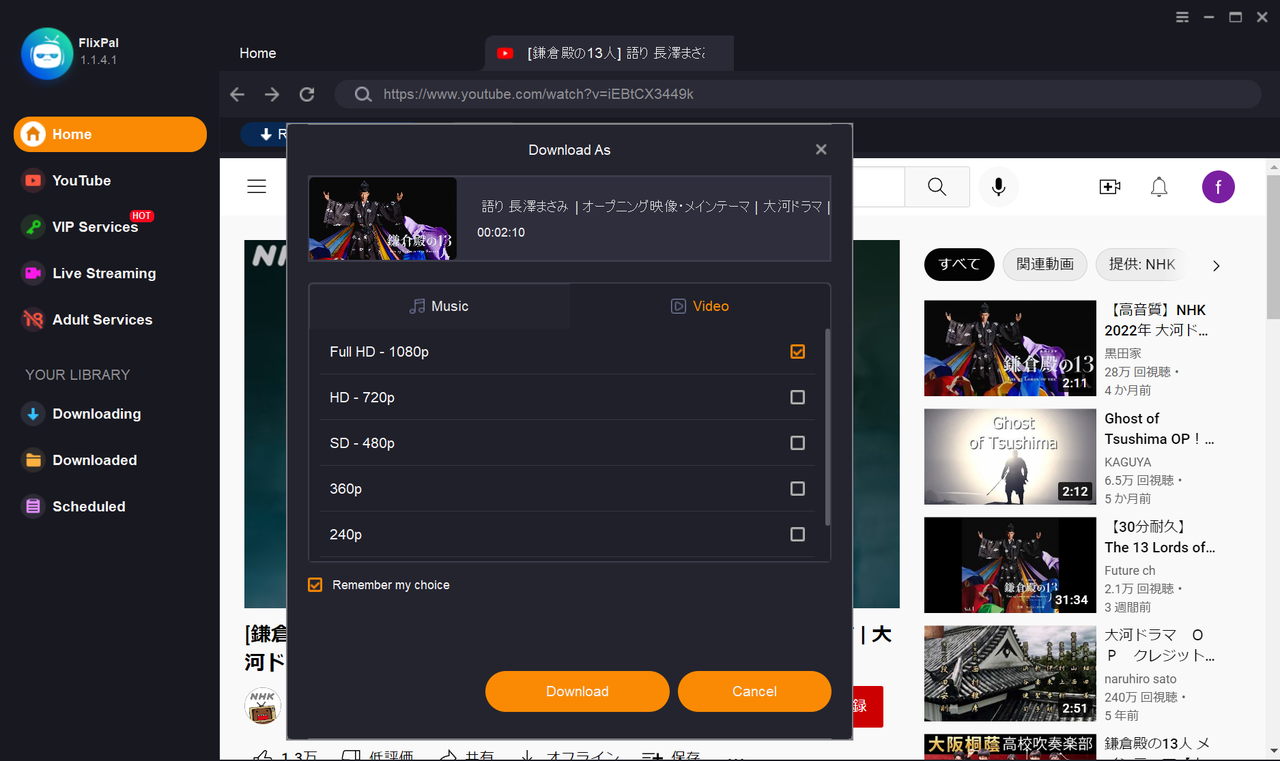
Play the video you wish to save. FlixPal will automatically analyze the content and pop up a download window. Select your desired resolution (up to 1080p) and subtitles.

Step 3

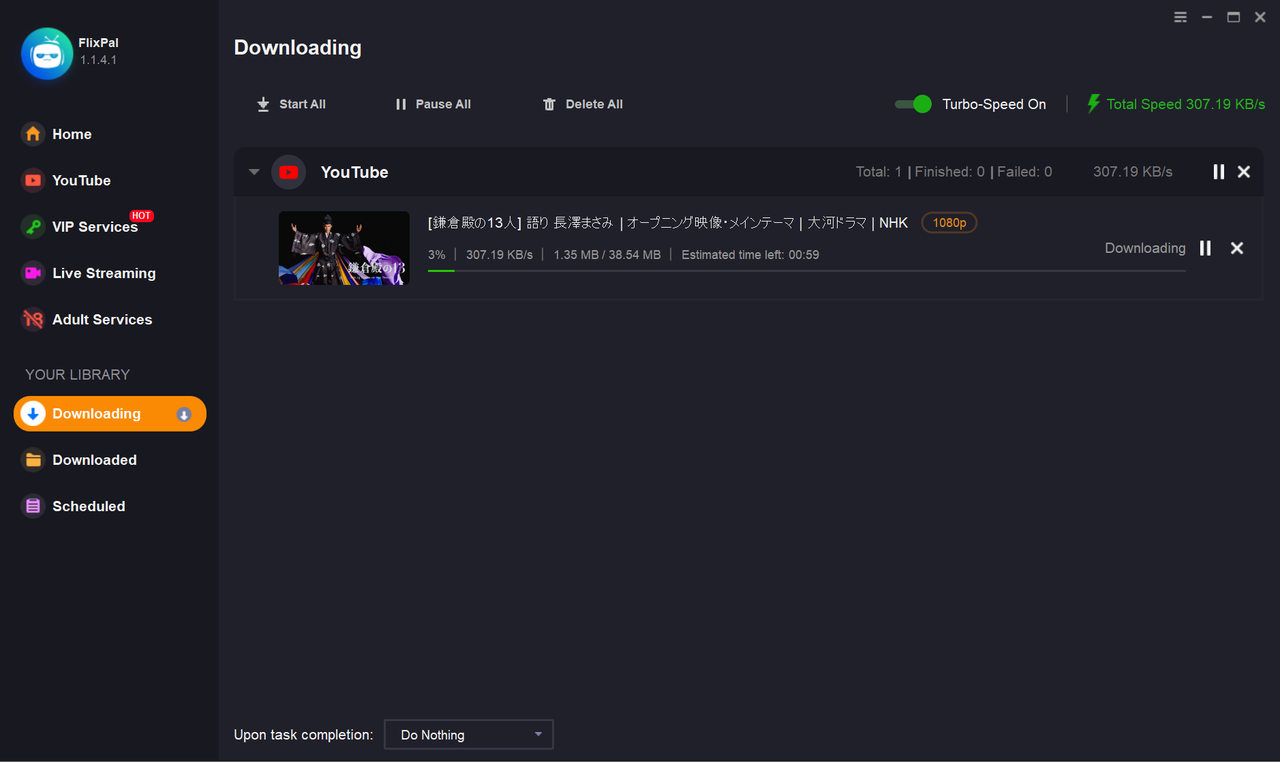
Click "Download Now". Your course will start downloading immediately at high speed. You can find the finished MP4 files in the "Downloads" tab.

Step 1
Step 2
Step 3
Open FlixPal and select the Udemy icon from "VIP Services", or simply paste the course URL into the built-in browser and log in to your account.
Play the video you wish to save. FlixPal will automatically analyze the content and pop up a download window. Select your desired resolution (up to 1080p) and subtitles.
Click "Download Now". Your course will start downloading immediately at high speed. You can find the finished MP4 files in the "Downloads" tab.
Click <b>"Download Now"</b>. Your course will start downloading immediately at high speed. You can find the finished MP4 files in the "Downloads" tab.