Features of FlixPal

Download ZDF Videos in 1080p Quality

Video quality is the most important part of your viewing experience. FlixPal supports downloading ZDF movies and shows in up to 1080p.

You get a cinema-like visual and auditory experience on any screen with FlixPal. You do not have to settle for low-resolution streams anymore.

Watch Your Favorite Shows Without Commercials

Ads can ruin the excitement of a movie or a TV show. It is frustrating to wait for commercials to finish. FlixPal ZDF Downloader automatically detects and removes ads from ZDF during the download process.

You can enjoy a smooth, uninterrupted playback experience from start to finish. Save your time and focus purely on the story.

Download Subtitles as SRT Files

With the right subtitles, it's easier to understand foreign material. FlixPal gives you a lot of choices for how to handle subtitles. You can remux captions right into the video file if you want to.

You can also save each ZDF video separately as a SRT file. This lets you be in charge. You can choose whether to have captions on or off. It works great for people learning a language or who are in a noisy place.

Batch Download Multiple Series at Once

Downloading episodes one by one is a waste of time. FlixPal has a powerful Batch Download feature. You can select an entire ZDF season or multiple ZDF videos to download simultaneously.

If you add ZDF videos to the queue, FlixPal will handle the rest in the background. The batch download feature dramatically cuts down waiting time and lets you build your offline library quickly.

More Features of FlixPal

Download ZDFmediathek Videos in MP4/MKV

FlixPal downloads videos in widely supported MP4 and MKV formats. FlixPal uses advanced video codec like H.264 and VP9.

You can transfer these files to your iPhone, iPad, Android phone, or smart TV. Watch your downloaded ZDF content on any device you choose without compatibility errors.

Download ZDFmediathek Videos in MP4/MKV

FlixPal downloads videos in widely supported MP4 and MKV formats. FlixPal uses advanced video codec like H.264 and VP9.

You can transfer these files to your iPhone, iPad, Android phone, or smart TV. Watch your downloaded ZDF content on any device you choose without compatibility errors.

Speedy Downloads with the Help of GPU Acceleration

Speed matters when you have a lot to download. Advanced GPU Acceleration technology is used by FlixPal to speed up ZDF downloads. You can download a 2-hour ZDF movie in just a few minutes. This is much faster than traditional screen recording tools. Spend less time waiting and more time watching.

Schedule Downloads for New Episodes

Never miss the latest episode of your favorite weekly show. The Schedule Download tool on FlixPal is very smart.

It can be set to check for new updates on its own. FlixPal will download a new show for you as soon as it's available on ZDF. It will be ready for you to watch as soon as you get home. This is perfect for keeping up with ongoing series.

Choose Your Preferred Language

Some ZDF programs offer audio tracks in different languages. FlixPal is able to detect and download these multiple audio tracks for you. You can choose your preferred language before downloading.

Additionally, the software saves all Metadata information. This includes the movie title, cast, cover art, and plot summary.

How to Use

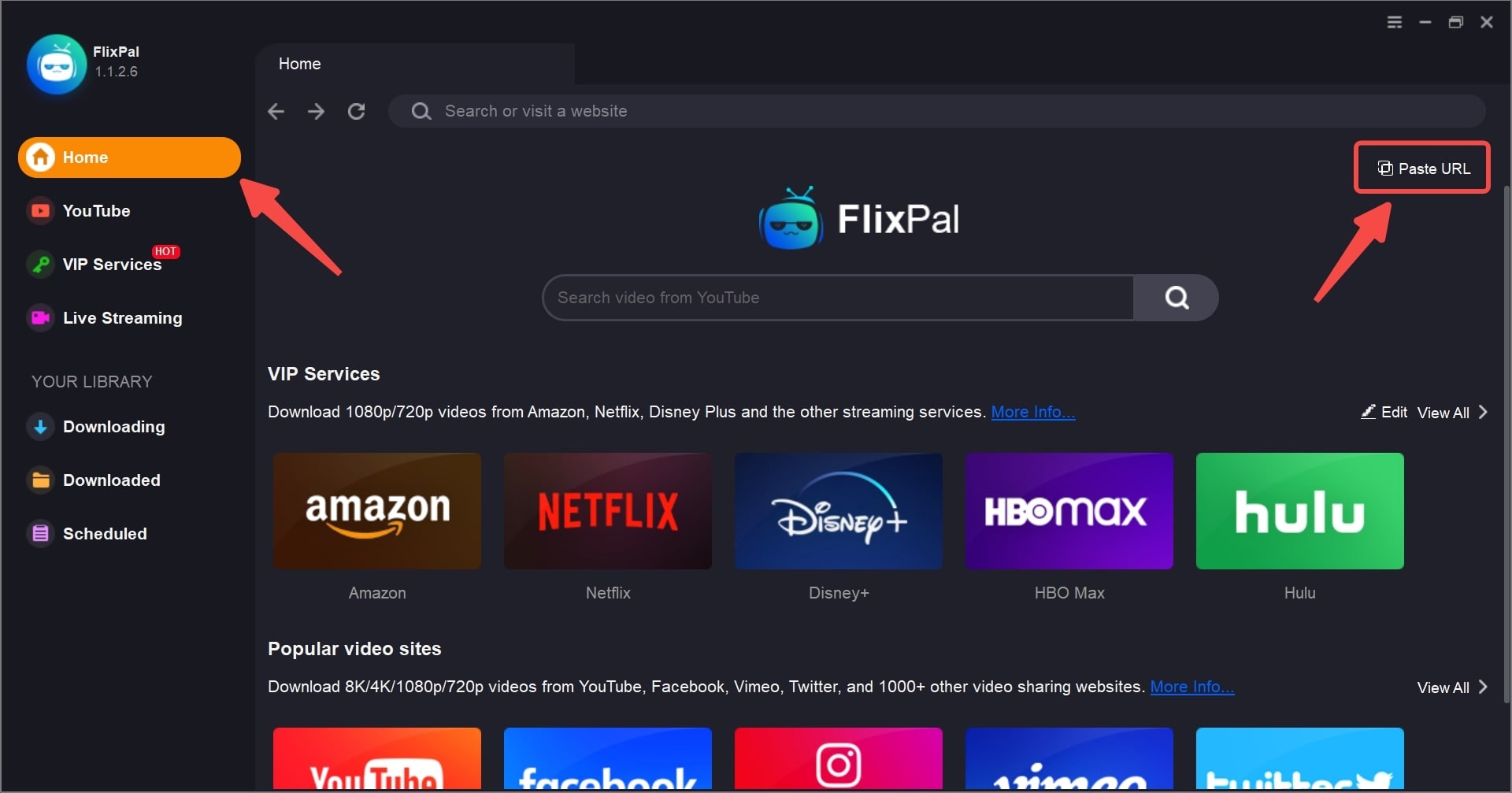
Open FlixPal and select the ZDF icon from "VIP Services", or simply paste the course URL into the built-in browser and log in to your account.
Step 1

Open FlixPal and select the ZDF icon from "VIP Services", or simply paste the course URL into the built-in browser and log in to your account.

Step 2

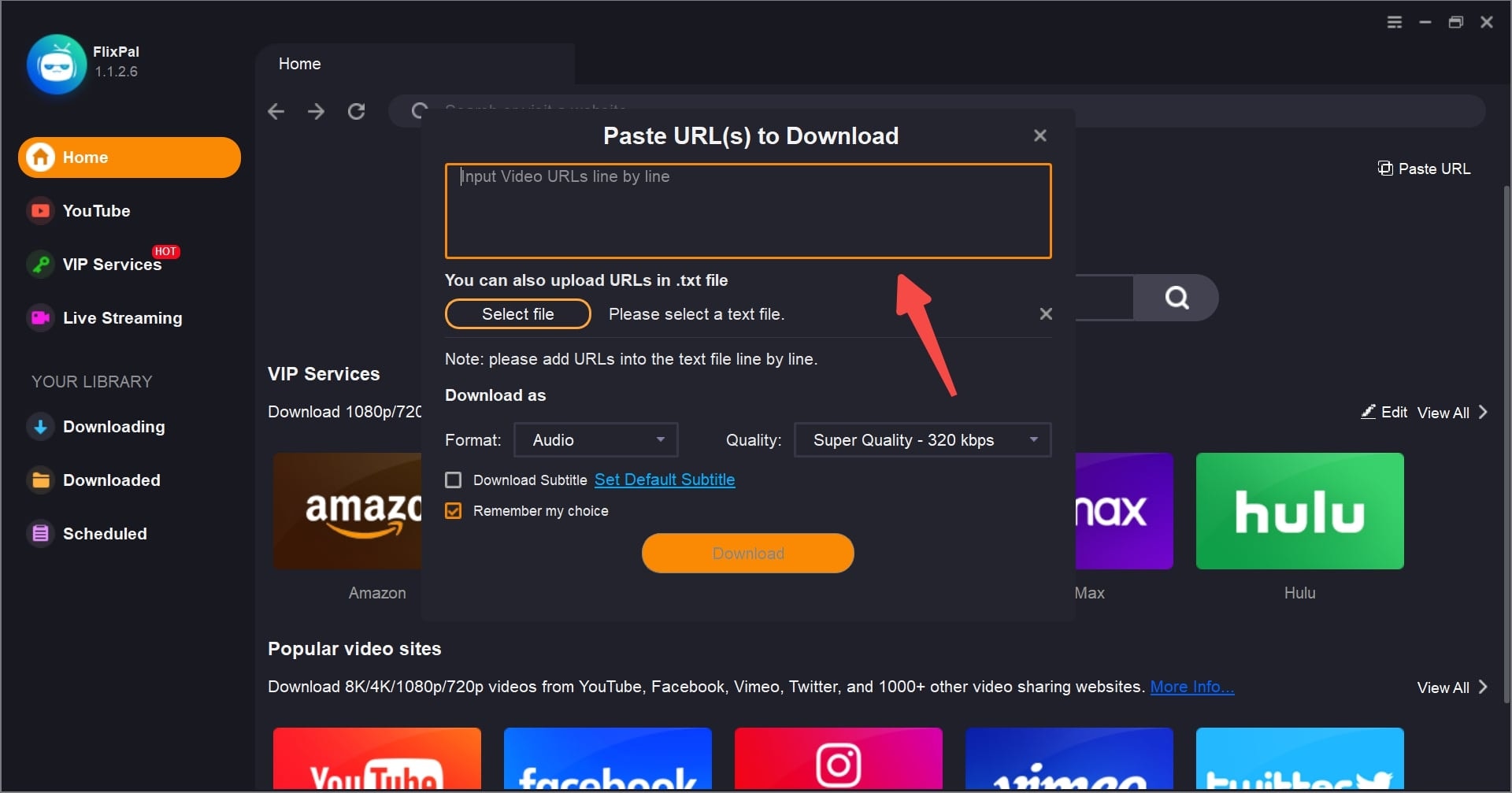
Play the video you wish to save. FlixPal will automatically analyze the content and pop up a download window. Select your desired resolution (up to 1080p) and subtitles.

Step 3

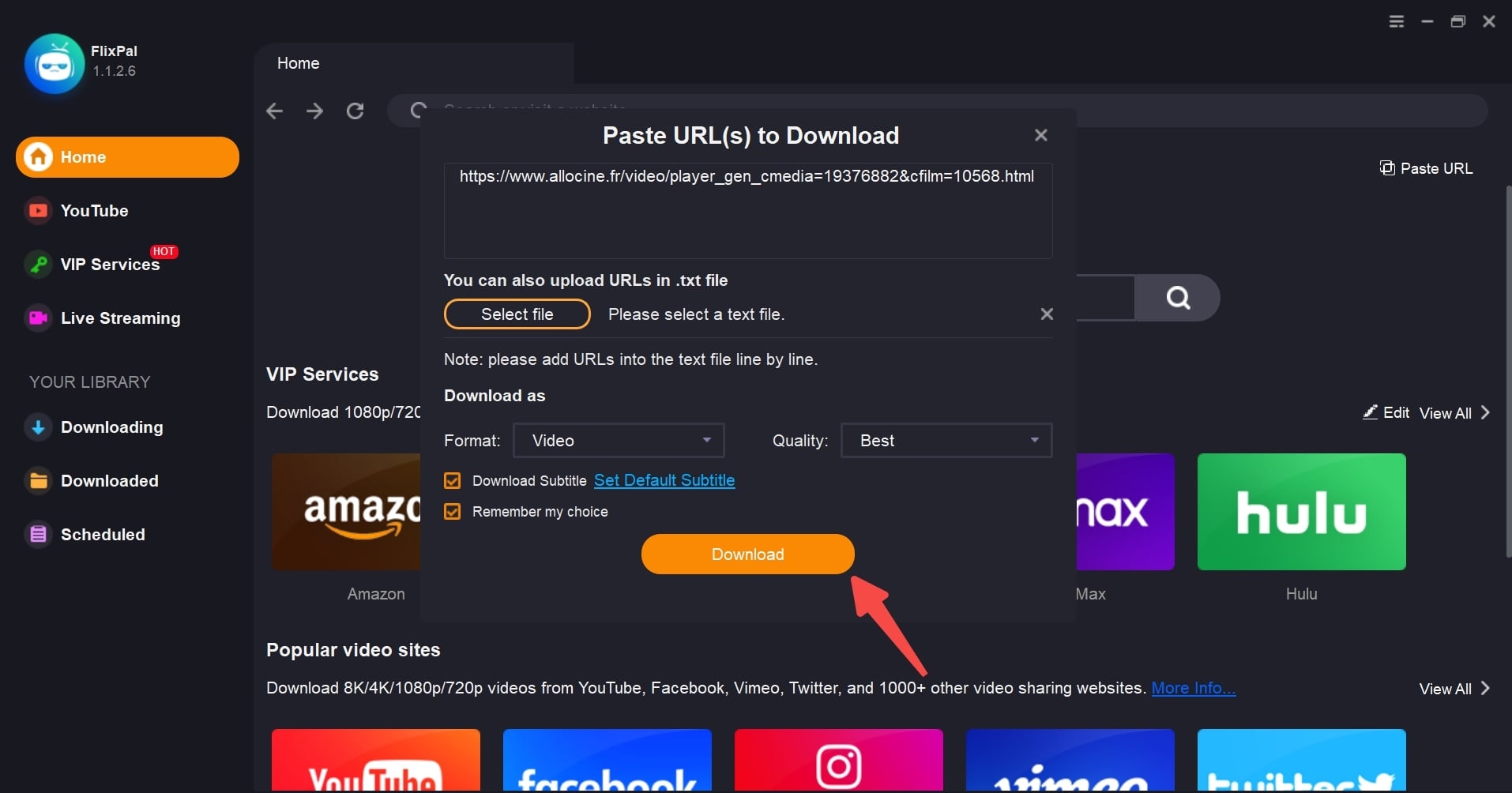
Click "Download Now". Your course will start downloading immediately at high speed. You can find the finished MP4 files in the "Downloads" tab.

Step 1
Step 2
Step 3
Open FlixPal and select the ZDF icon from "VIP Services", or simply paste the course URL into the built-in browser and log in to your account.
Play the video you wish to save. FlixPal will automatically analyze the content and pop up a download window. Select your desired resolution (up to 1080p) and subtitles.
Click "Download Now". Your course will start downloading immediately at high speed. You can find the finished MP4 files in the "Downloads" tab.
Click <b>"Download Now"</b>. Your course will start downloading immediately at high speed. You can find the finished MP4 files in the "Downloads" tab.