Features of FlixPal

High-Quality Downloads from YouTube

Experience the best download quality with FlixPal. It uses H.264 video codec technology to deliver stunning visuals while minimizing file size. Choose between MP4 or MKV formats for compatibility with any device. Begin your free trial with 3 downloads in 1080p from YouTube Movies, with the flexibility to cancel at any time.

Enjoy Ad-Free Viewing

Binge-watch your favorite movies without interruptions. FlixPal automatically removes all ads from your downloaded videos, providing a seamless and uninterrupted offline viewing experience.

Download Subtitles

FlixPal allows you to download subtitles along with your movies. Choose to save subtitles as external SRT files or directly embed them into your downloaded videos to match your language preferences or enhance understanding.

Batch Download YouTube Videos

Downloading multiple movies at once is easy with FlixPal. Add entire playlists or multiple titles to your download queue, and FlixPal will handle the rest. Quickly and efficiently build your offline library of YouTube movies.

More Features of FlixPal

Download Videos in MP4/MKV Format

Save movies from YouTube in versatile MP4 or MKV formats that are compatible with almost any device. Watch your downloaded content on your smartphone, tablet, or TV for ultimate flexibility.

Download Videos in MP4/MKV Format

Save movies from YouTube in versatile MP4 or MKV formats that are compatible with almost any device. Watch your downloaded content on your smartphone, tablet, or TV for ultimate flexibility.

Blazing-Fast Downloads with GPU Acceleration

Experience lightning-fast downloads with FlixPal's GPU Acceleration technology. Achieve speeds up to 4.2M/s, depending on your internet connection. Say goodbye to waiting and start enjoying your downloads in no time.

Schedule Your YouTube Downloads

Never miss new releases with FlixPal's scheduling feature. Set a specific time for your downloads to start automatically, ensuring you always have the latest movies ready to watch offline.

How to Use

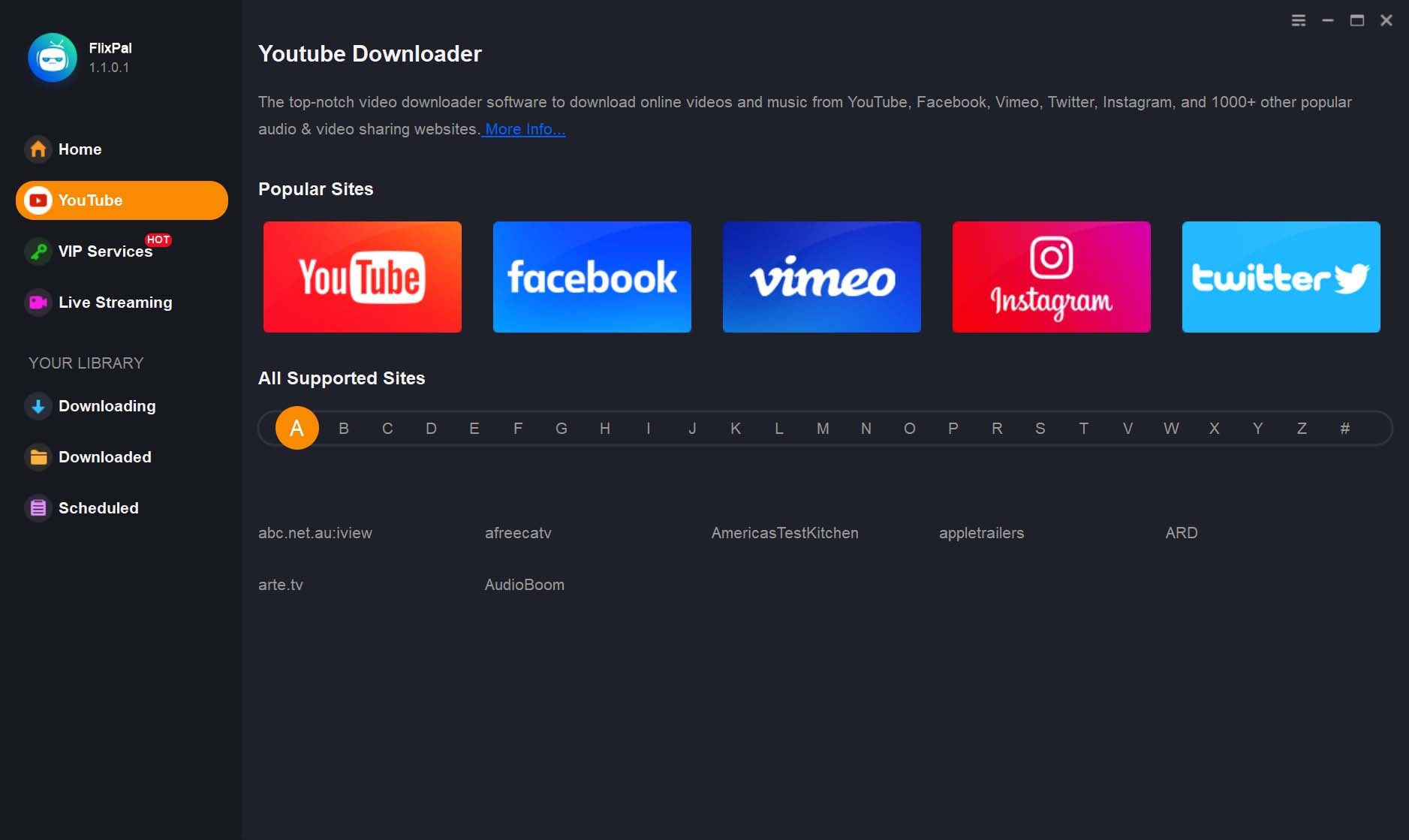
Find YouTube from the left function bar.
Step 1

Find YouTube from the left function bar.

Step 2

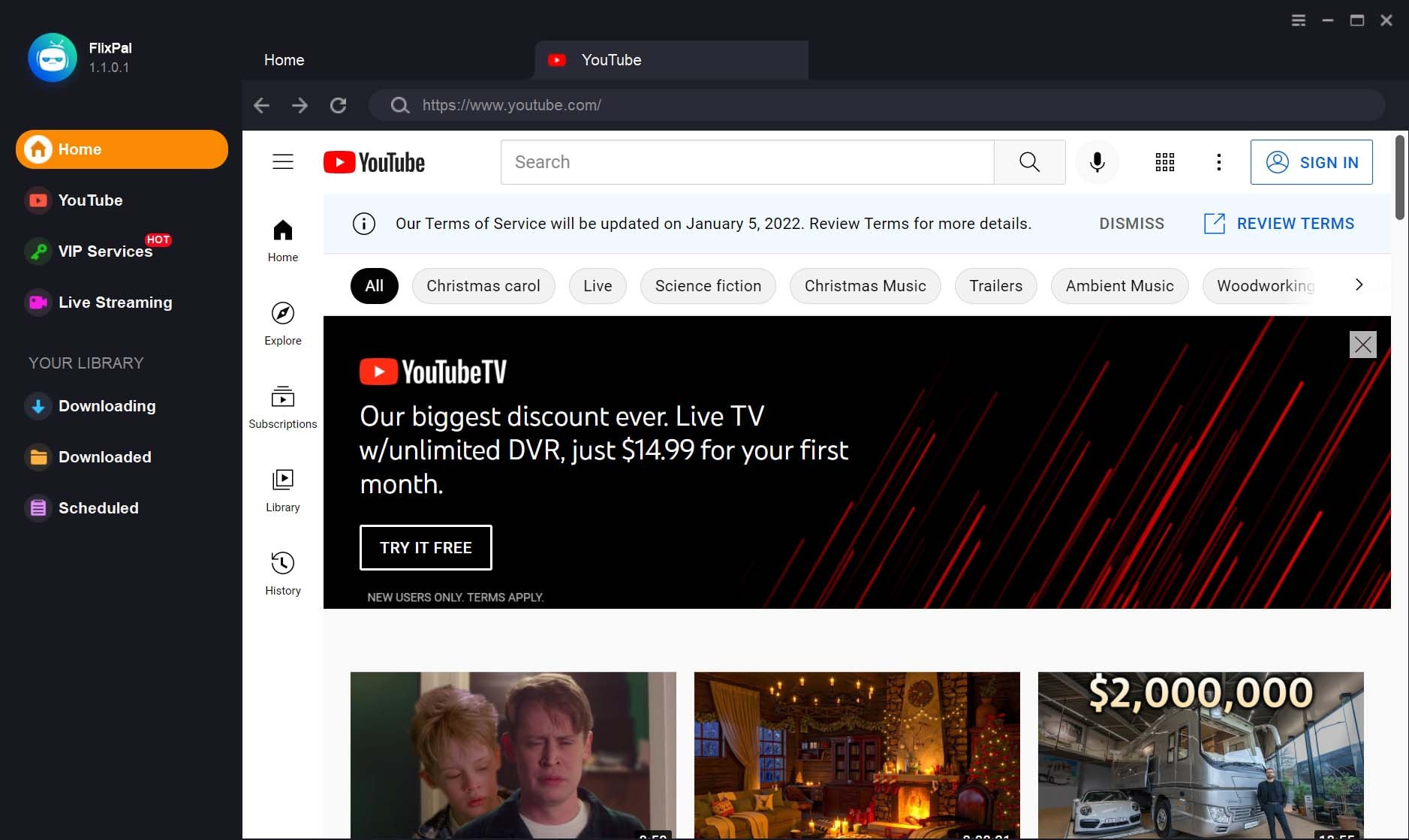
Click YouTube logo and locate the video you want to download.

Step 3

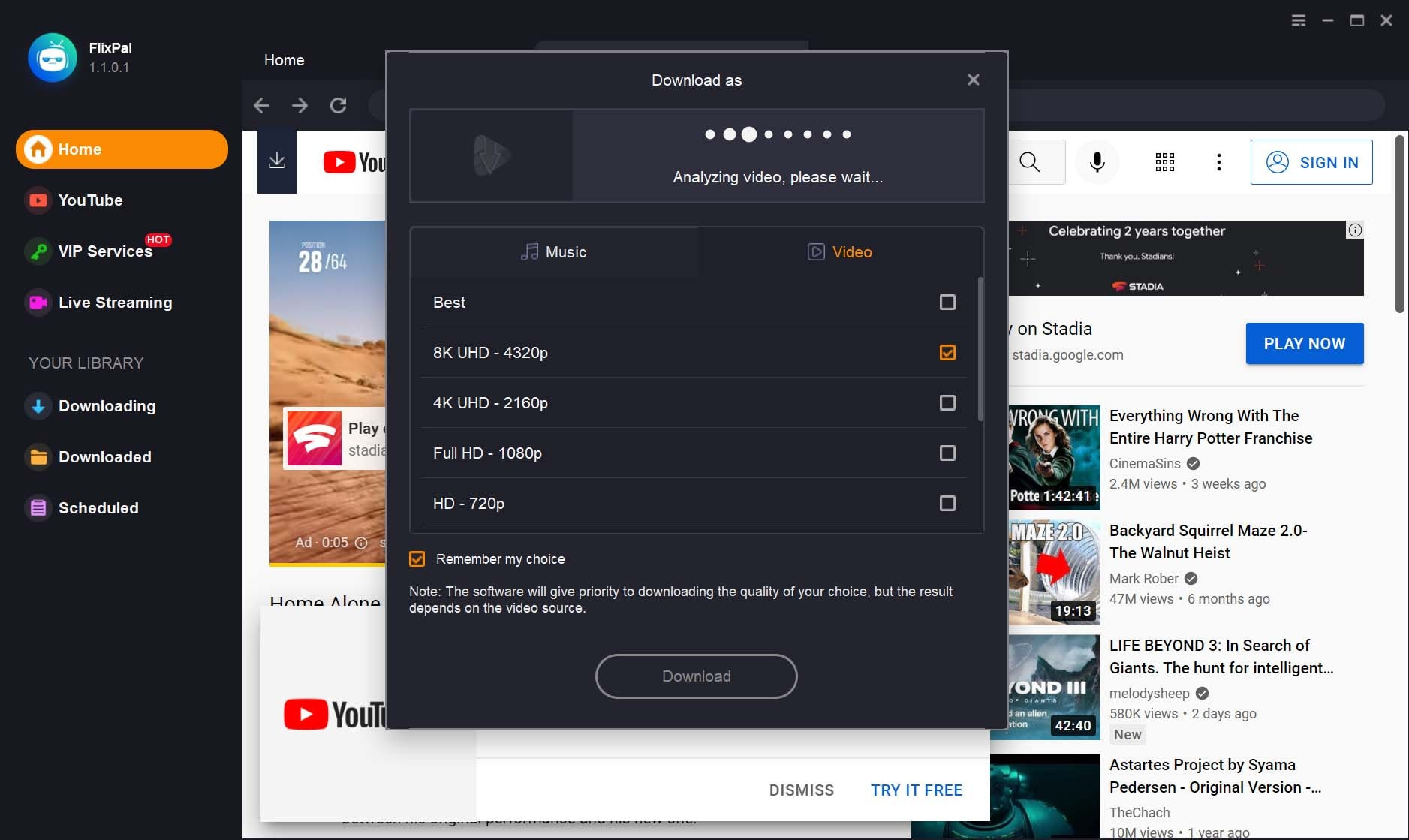
Set download options and click on the "Download Now" button.

Step 1
Step 2
Step 3
Find YouTube from the left function bar.
Click YouTube logo and locate the video you want to download.
Set download options and click on the "Download Now" button.